Optimization Agent
Overview
The Optimization Agent is the AI assistant in Contentful Analytics that allows marketers, editors, and analysts to ask contextual questions about their content and instantly receive AI-powered content answers, both as text and visual elements.
Disclaimer: Note that the Optimization Agent can make mistakes.
How to interact with the Optimization Agent
NOTE: Before you can get started with the Analytics Agent, make sure the Built-in AI Features option in your organization settings is enabled. Note that only organization admins can enable AI Features. For more information, see Enable AI Actions.
To interact with the Optimization Agent:
Log in to the Contentful web app.
Navigate to the “Optimization” tab.
Under Analytics, select the “Optimization Agent” tab.
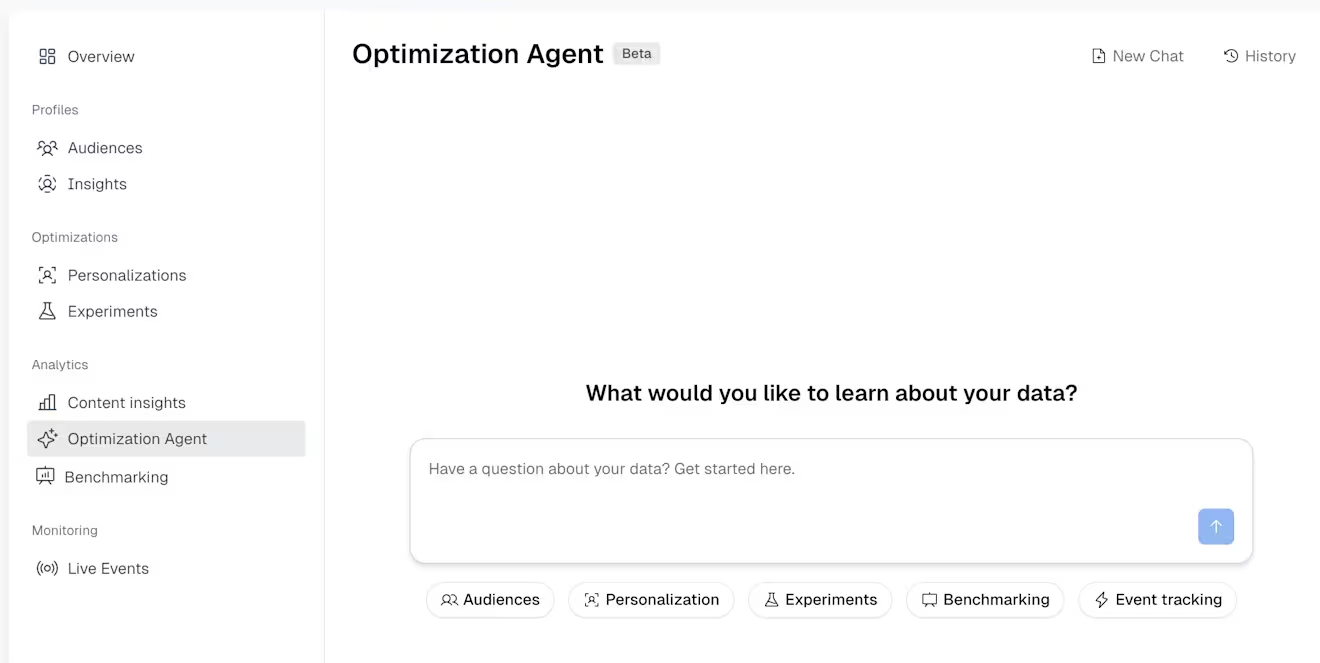
Enter a question about your data, and press Enter. The agent will provide an answer.
NOTE: The Optimization Agent can make mistakes.
Enter a follow up question if you want a more refined answer or dig deeper.